Issue #2: Vibe Coding Your First Practice Tool
In our first issue, we talked about the shift from "Employee" to "Sovereign Steward." Today, we’re putting that into practice. Literally.
We are going to build a Practice Timer.
Most students stand on the range and hit 100 7-irons at the same target with no pressure. A Sovereign Pro gives them a tool that forces them to rotate: 10 minutes of block practice, 10 minutes of random targets, and a 5-minute pressure test.
Here is exactly how I built it in five minutes using the "Double-AI" workflow.
Step 1: Generating the "Vibe" with Google Gemini
I didn’t start by writing code. I started by telling Google Gemini exactly what I wanted to achieve. I gave it the "Business Logic" of being a golf pro, and it gave me the "Technical Specification."
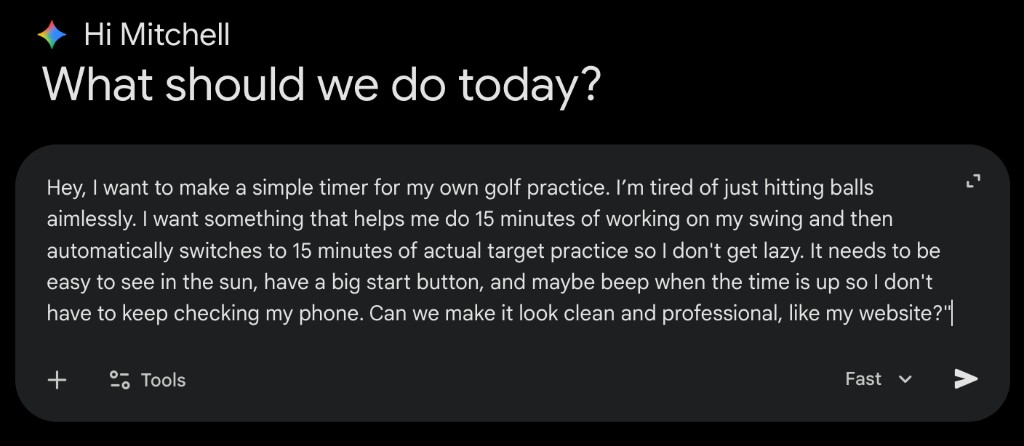 Image 1: My initial description of the practice timer—focusing on the "vibe" and the golf-specific intervals.
Step 2: The "Handy Dandy" Copy Button
Gemini thought for a few seconds and spit out a highly technical, UI-focused prompt. It described the buttons, the high-contrast navy and orange color palette, and the "fat-finger friendly" layout for the lesson tee.
The best part? It includes a "Copy" button right in the top corner.
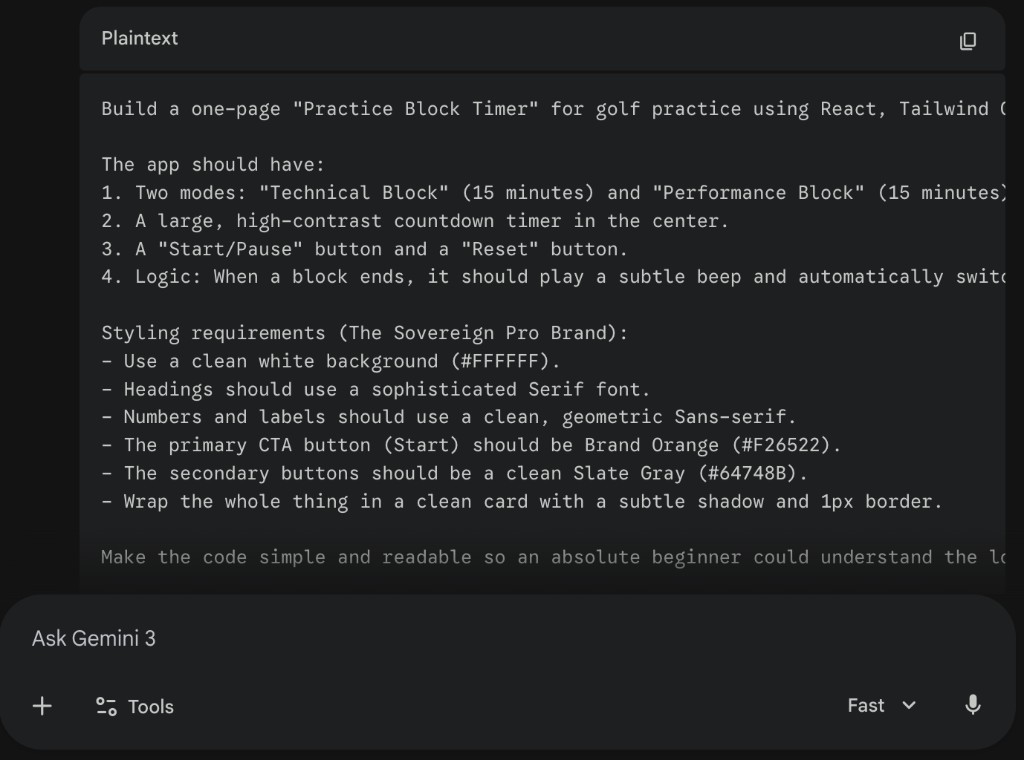 Image 2: The refined prompt ready for v0.dev. One click and we're ready to build.
Step 3: Bringing it to Life in v0.dev
This is where the magic happens. I took that text, headed over to v0.dev, and pasted it into the prompt bar.
 Image 3: The "Handy Dandy" copy-paste in action. This is the moment your description turns into a working application.
Step 4: The Final Product
Within 30 seconds, v0 rendered a fully interactive, mobile-responsive web app.
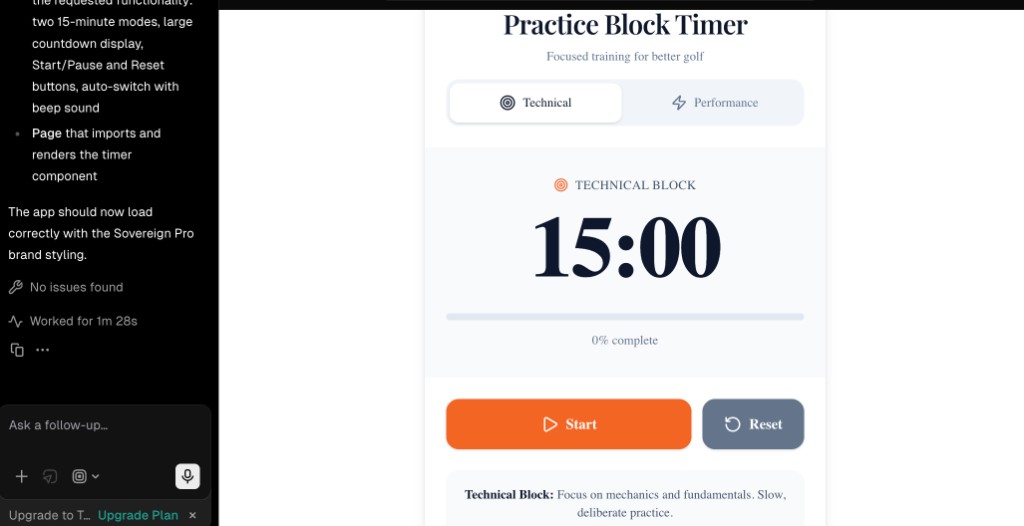 Image 4: The final, functional "Sovereign Practice Timer" ready for the range.
- The Brand Orange (#F26522) "Start" button is front and center.
- The Deep Navy (#0F172A) headings make it look like a premium editorial tool.
- The Intervals are exactly what my students need to see.
The Sovereign Edge: No Permission Needed
Ten years ago, building this would have required a $5,000 developer contract and three months of back-and-forth emails.
Today, you just need:
- A Domain Expert (You).
- A Clear Description (The Vibe).
- The Courage to Copy and Paste.
This Week’s Action Step
Find that one "Practice Habit" you wish your students had. Maybe it’s a 3-foot-putt drill or a pre-shot routine clock.
- Open Gemini and describe the tool.
- Ask it to write a "v0.dev prompt."
- Hit that copy button.
- Paste it into v0.dev.
Next week, I’m going to show you the final step: how to "Claim Your Territory" by deploying this tool to your own domain so you can text the link to your students before they even leave the range.
Stay sovereign.